Is your website getting spam?
Here’s what to know about those strange contact form submissions:
- They’re not written by real people. Well, they were at one time, but no human actually visited your website and filled out the form. Bots submit them automatically.
- They’re sent to millions of websites. Your website isn’t the only one. Spammers blast these messages to millions of websites every day.
- Don’t click any links. Some messages contain paragraphs of random text and scattered links. Don’t click them; they can lead to malware or phishing sites.
- Don’t respond. These are completely automated, so no reply is needed, and responding can invite more spam. The best action is to delete the message.
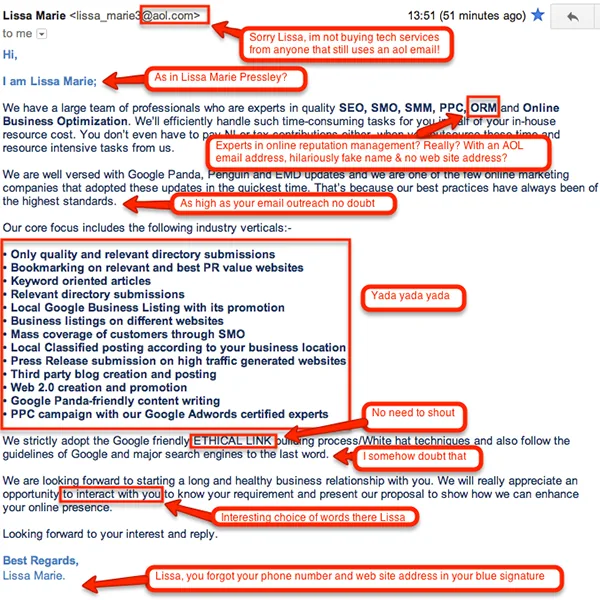
- They won’t get you to page 1 of Google. Spammers and shady marketing companies send “Get your website to page 1 of Google!” messages all across the web. They aren’t legitimate marketing firms, and their goal is to take your money or personal information. Real SEO doesn’t start with a spam message.
How to stop form spam
We wish these messages never came through, but like taxes, spam is part of online life. If it’s a serious problem on your website, we can add anti-spam protection to your contact form. The old CAPTCHA images with hard-to-read letters are mostly gone; today’s tools, like Cloudflare Turnstile and Google reCAPTCHA, check for bots invisibly in the background, and hidden “honeypot” fields catch bots that fill in every box. (Read why am I getting spam through my contact form?)
Hopefully this clears up any confusion about those mysterious contact form submissions!

About the author
Leighton Smith is Pioneer Media’s website designer, web developer and webmaster, based in East Tennessee. As a solopreneur, he is each client’s one point of contact and has built hundreds of websites since learning to code in 2006.